.svg)

The Complete Guide to Creating A Memorable Facebook Event

A Facebook Event is a built-in marketing tool that lives right where your audience already scrolls, chats, and clicks. It lets you turn a date on the calendar into a full-blown experience, with space for visuals, updates, reminders, and community interaction. Whether you're hosting in-person or online, it's one of the easiest and most effective ways to rally interest and attendance.
Why does it matter? Because visibility equals engagement. A well-created Facebook Event boosts discoverability, keeps your event top-of-mind with automated reminders, and makes it easy for attendees to share the news with others.
In this article, we’ll walk you through how to create Facebook Events that are memorable and perform well. From setting the tone with the right visuals to optimizing for engagement and reach, consider this to be your step-by-step playbook for making an impact that lasts well beyond the RSVP.
The 5 Must-Haves To Create A Facebook Event People Actually Want to Attend
Most Facebook events get ignored because they’re rushed, vague, or forgettable. If you want people to actually show up, you need to treat your event like a product launch: clear, polished, and built for engagement. To achieve this, certain essential elements must be in play. These elements are the baseline for earning attention, building credibility, and making it easy for someone to say yes.
When creating a Facebook event that converts, certain fundamental elements serve as the foundation for all your promotional efforts. Getting these basics right signals professionalism and reliability to potential attendees.
1. Write a Clear and Clickable Title
Your title needs to be attention-grabbing, descriptive, and searchable. Aim for a title that balances SEO-friendly keywords with human appeal. For example, instead of "Annual Company Gathering," try "TechCo's 2025 Innovation Summit: Shaping the Future of AI."
Your event title is your first impression. It needs to captivate and compel action while striking a balance between clarity and intrigue. Try the action word + unique value + event type formula: "Master Data Science: Interactive Workshop with Industry Leaders." Or use the exclusive descriptor + topic + format approach: "Insider's Guide to Crypto: Live Q&A with Industry Experts."
Employing brand positioning strategies helps your event stand out from the crowd. Test your titles by asking, “Would I stop scrolling for this?” Ensure your title sets the right expectations, and that your event meets them. Nothing damages trust more than a spectacular headline followed by a forgettable experience.
2. Cover the When and Where (Without Making People Hunt)
Include the day of the week, date, start time, and end time. For multi-day events, clearly state the whole duration. Nothing frustrates potential attendees more than having to hunt for basic timing information.
For physical events, include the venue name, address, and any relevant parking or transportation details. For virtual events, specify the platform and how attendees will access it. Vague location information makes even the most exciting event seem disorganized.
3. Write a Description That Sells the Experience
Your event description should include a brief overview of what attendees can expect, key speakers or highlights, the value proposition, any special features, and ticket information. This is where you sell the experience, not just the logistics.
Open with a compelling statement or question that communicates the value of attending. Make them feel what they’ll miss out on if they don’t join. Highlight standout features, world-class speakers, interactive sessions, and exclusive takeaways, and use formatting to keep the content scannable, especially for mobile users.
Let your brand’s personality come through. If you’re quirky, lean into it. If you’re buttoned-up and sleek, reflect that. Create urgency without being pushy: “Early bird tickets available until Friday” is far more effective than all-caps hype. End with a clear next step, so your audience knows what to do and why they shouldn’t wait.
4. Choose the Right Privacy Settings
Determine whether your event should be public, private, or invite-only, taking into account your goals and target audience. Each option creates a distinct perception and attracts a different type of attendee.
The technical aspects of your Facebook event significantly affect its discoverability and reach. Public events are discoverable by anyone on Facebook and can be shared widely. Private events are only visible to guests, creating a sense of exclusivity. Select options based on your event's goals and target audience.
5. Optimize Setup for Discoverability and Conversion
Select the most specific categories that fit your event to improve discoverability. Facebook's algorithm uses categories to suggest relevant events to users. Update categories if your event evolves during the planning process.
Use Facebook's recognized venue locations when possible to improve discoverability in location-based searches. This also provides attendees with directions and additional venue information, eliminating the need for extra effort on your part.
Partner with complementary brands or influencers as co-hosts to expand your event's reach and audience. This can significantly increase visibility to new audiences and add credibility to your event through association. Avoiding common branding mistakes is crucial during your event setup to maintain professionalism and trust.
If selling tickets, integrate with Facebook's ticketing partners for a seamless purchase experience. This reduces friction in the conversion process, making it easier for people to commit to attending.
Why Smart Design Makes or Breaks Your Facebook Event
To be honest, poor design doesn't just make your event look unprofessional, it actively convinces people your event isn't worth their time before they even read your description. Every visual choice, from your cover photo to promotional graphics, either builds credibility and excitement or undermines it, and there's no middle ground on a platform where people make split-second decisions. When your design elements work seamlessly with your messaging, they create an experience that transforms casual scrollers into committed attendees.
Make Your Cover Photo Do the Work
Your event's cover photo is often the first visual element people see. To maximize its impact, use the optimal size of 1920 x 1005 pixels with a 16:9 aspect ratio to ensure your image appears crisp on all devices.
Select eye-catching imagery that reflects the tone and purpose of your event rather than generic stock photos. To make your visuals as impactful as possible, consider principles from strategic poster ad design.
Boring visuals = boring event (at least that's what people will assume). Keep the text on the cover image minimal, focusing on essential information such as the event title, date, and location.
Use contrasting colors for text overlays to ensure legibility, especially on mobile devices where most Facebook browsing happens. Consistently integrate your brand's logo, color palette, and fonts to reinforce brand identity and build trust. Utilizing elements like patterns can transform your brand identity. Your visual identity should be as recognizable as your best friend's laugh!
Create Graphic Graphics That Tell Your Story And Build Trust
Beyond the cover photo, develop a suite of visual content that supports your promotional strategy throughout the event timeline. Design graphics that work across different promotional contexts, from Facebook feeds to email campaigns and other social platforms.
Maintain visual consistency with your written voice, whether it's playful, professional, or edgy. Utilizing tools and techniques can help you elevate your brand visually. If your copy is fun and irreverent but your graphics look corporate and stuffy, you're sending mixed signals that confuse potential attendees.
Use graphics to amplify key messages without overwhelming your written content. Consider the power of typography in conveying your brand message. Create visuals that highlight speaker quotes, showcase event highlights, or present key statistics related to your event's theme.
Integrate elements of brand iconography to enhance recognition and appeal. Consider adopting creative approaches to your event design to make a lasting impression and stand out from the crowd.
Consider creating a series of countdown graphics to build anticipation as the event date approaches. Nothing builds excitement quite like seeing "Only 3 days left!" paired with an enticing image of what awaits attendees.
Partner With Design Professionals Who Actually Get Events
Contrary to what you might think, you don't have to figure it out your design solo. Professional designers who understand event marketing know exactly how to translate your vision into visuals that stop the scroll and start conversations, plus they handle all the technical requirements like file sizes and platform-specific dimensions that can make or break how your visuals appear.
The right design partner doesn't just make pretty pictures; they create strategic visual experiences that guide people from curiosity to commitment while you focus on what you do best. Whether you need a complete visual identity for your event or just want to elevate specific pieces, partnering with designers who specialize in event marketing can transform your promotional materials from forgettable to unforgettable.
How To Make Your Facebook Event Buzz Before, During, and After
Most Facebook events die a quiet death with zero engagement and empty seats, while others generate the kind of buzz that makes people genuinely excited to attend. The difference isn't budget or connections, it's treating your event page like the strategic marketing tool it actually is, not just a digital flyer. Your Facebook event becomes your first impression, ongoing conversation starter, and relationship-building platform that transforms casual browsers into committed attendees.
Know What To Say and When To Say It
A well-planned promotional timeline can make the difference between a packed venue and empty seats. Start 3-6 months before the event by creating your Facebook event page with preliminary information. Begin sharing teaser content to build awareness and launch "Save the Date" campaigns to generate early interest.
Two to three months before, increase posting frequency with more detailed event information. Implement early-bird ticket promotions and start engaging with your community through Q&A sessions or polls to gauge interest and gather feedback.
One month before, intensify your messaging with a sense of urgency. Share the finalized agenda and highlight key attractions. Launch retargeting campaigns for users who've shown interest but haven't registered yet.
Two weeks before, focus on last-minute registrations with countdown posts. Share practical information about the event like parking, what to bring, and other logistics. Leverage testimonials from past attendees to build trust and excitement.
During the event, post real-time updates and highlights. Encourage attendees to share their experiences using a specific hashtag. Use Facebook Live to broadcast key moments for those who couldn't attend.
After the event, share highlights and thank attendees. Collect feedback through polls or surveys and begin nurturing the community for future events. This post-event engagement helps maintain momentum and build a loyal following.
Build Recognition That Sticks Through Smart Messaging
Maintaining visual and verbal consistency throughout your promotional period is crucial for building recognition and trust. Develop a visual theme with a cohesive identity that can be adapted across all promotional materials, including a specific color palette, font choices, and graphic elements. Understanding the impact of strategic branding changes can help you maintain consistency.
Establish main themes or messages about your event. Rotate through these themes to maintain consistency while avoiding repetition that could bore your audience. Mix up your content types to keep things interesting—alternate between text posts, images, videos, and interactive content.
Encourage attendees from previous events or early registrants to share their experiences, adding authenticity to your promotion. People trust peer recommendations more than branded messages, so leverage this powerful form of social proof.
Strategically unveil new details about speakers, activities, or special features throughout your timeline to maintain interest. Think of it as a slow, tantalizing reveal that keeps people coming back for more! Develop a unique event hashtag and use it consistently across all promotions, encouraging your audience to use it as well.
Read the Room and Pivot When You Need To
Monitor engagement metrics throughout your promotional period and be prepared to adjust your approach based on what resonates with your audience. Pay attention to which posts generate the most likes, comments, shares, and click-throughs.
If certain content types or messages perform exceptionally well, create more similar content. Conversely, if some approaches fall flat, don't be afraid to pivot. This flexible approach ensures that your promotional efforts remain effective, rather than adhering to a rigid plan that isn't working.
Utilize Facebook's Event Insights to track response rates and attendance commitments. These metrics provide valuable insights into your audience's interests and behaviors, enabling you to refine your messaging for maximum impact.
Tips To Help You Stop Begging for Likes and Start Earning Loyalty
Authentic engagement isn't about tricks, giveaways, or manipulating the algorithm; it's about creating content so genuinely valuable that people can't help but interact with it. When you focus on delivering real value instead of chasing vanity metrics, something powerful happens: your audience stops treating you like just another brand and starts seeing you as a trusted resource they actually want to hear from. The strategies that work best don't feel like strategies at all, they feel like natural conversations between people who share genuine interests and goals.
1. Create Content Worth Sharing Without Asking
Focus on genuine value over explicit sharing requests. Solve real problems, create visually appealing content, offer exclusive behind-the-scenes insights, use compelling storytelling from past attendees, and provide practical resources. When content truly helps your audience, natural sharing follows.
2. Foster Real Connections That Go Beyond the Event Page
Build community through live Q&As, candid behind-the-scenes content, interactive polls for decision-making, user-generated content opportunities, and personalized responses. Make followers feel like insiders and stakeholders by showing the real people behind your event and actively engaging with comments.
3. Keep the Energy Alive Long After the Last Guest Leaves
Maintain post-event momentum with highlight reels, surveys, discussion threads, and personalized thank-you messages. Create recap content showcasing attendee participation while teasing future events. This converts non-attendees for next time and strengthens relationships for ongoing collaboration.
Turn Your Next Facebook Event Into the One Everyone's Talking About
Creating impactful Facebook events requires a strategic blend of compelling content, thoughtful design, and active engagement. The most successful events seamlessly blend professional presentation with authentic connection, creating experiences that begin the moment someone discovers your event online and continue long after they leave.
When you approach event creation as both a writing and design challenge, everything shifts. You're not just announcing details, you're creating complete experiences that begin the moment someone sees your event in their feed and continue long after the last attendee heads home. Your next event could become a defining moment for your brand, creating buzz, engagement, and lasting connections.
Don't let boring visuals convince people your event isn't worth their time, NoBoring Design creates scroll-stopping Facebook event graphics and social media assets that turn casual browsers into committed attendees. Partner with us today!
Key Takeaways
- Successful Facebook events combine compelling copy with strategic design elements to create a complete experience. Together, they guide people from curiosity to commitment.
- Timing your promotional content correctly helps build momentum and maintain interest. Get the timing wrong, and even great events can struggle to fill seats.
- Authentic engagement strategies drive organic sharing and community building. Real value creates natural advocates who share because they want to, not because you asked.
- Visual consistency across all event materials strengthens recognition and trust. Cohesive branding passes the crucial first-impression test that determines whether people take you seriously.

Motion design—where graphic design meets animation—is evolving rapidly, powered by AI breakthroughs. AI handles the tedious tasks, letting designers focus on the creative spark. In our crowded digital world, crafting standout visuals without getting bogged down in grunt work gives designers a real edge.
Keeping up with these motion design trends for 2025 isn't just about staying trendy; it's about pushing both creativity and business forward. As AI gets smarter, it reshapes motion graphics, opening up fresh ways to design and tell stories through motion design services. Companies that embrace these shifts will stand out, and designers who lean into these trends will find more room to explore and create remarkable visuals.
In brief:
- AI is revolutionizing motion design, freeing designers to focus on creativity.
- Trends like kinetic typography and 3D-in-2D animation are transforming visual storytelling.
- Motion design is impacting advertising, social media, and entertainment with engaging visuals.
- Technological advances are opening new doors for innovative motion graphics in 2025.
3 Motion Design Trends for 2025
1. Kinetic Typography: A Leading Motion Design Trend
Animating text isn't just a fad; it's transforming how we grab attention and tell stories. Bringing letters to life helps designers deepen narratives and strike emotional chords. With attention spans dwindling, kinetic typography makes messages memorable, offering flexibility in rebranding. In advertising, videos, or online training platforms, it catches the eye and keeps the focus on what matters.
Animating text used to be complex, but AI-assisted tools are simplifying the process. Less time wrestling with technical details means more time honing ideas, as noted by Netguru. As AI sharpens these workflows, kinetic typography will continue to open doors to captivate audiences.
2. 3D in 2D Animation: Blending Dimensions in 2025
Blending 3D elements into 2D animation isn't just about adding depth—it's about immersing viewers in the story. Incorporating 3D textures and realistic lighting can turn a flat scene into something vibrant. Additionally, integrating motion design into web design services creates immersive online experiences.
Industries like gaming, VR, and marketing are embracing this fusion. AI tools simplify adding 3D into 2D scenes, eliminating steep learning curves (source). Designers can experiment with fresh styles, boosting creativity while staying efficient.
3. Analog Collages: Nostalgia Meets Modern Motion Design
Collage art is back, injecting warmth and nostalgia into our digital age. Mixing real textures and materials allows designers to create layouts that break away from the slick and uniform. Branding efforts and editorial designs especially benefit from this unique charm, as seen in successful rebranding strategies.
This trend reflects a bigger shift—combining hand-made and digital approaches. People crave authenticity, and collages offer that tactile, personal touch. Weaving tangible art into digital motion helps designers craft fresh experiences that resonate, giving audiences a more layered engagement.
The Role of Technology in Shaping Motion Design Trends
Technology has always driven motion design, but AI and new software are taking things up a notch. These tools not only change how we tackle everyday tasks but also open up visual possibilities we couldn't imagine before.
AI and Automation
AI features are smoothing out the whole production process—from concept creation to final output. Platforms like Adobe's Sensei handle routine tasks like color matching and font selection, freeing designers to focus on the big ideas. Moving faster and smarter helps stay ahead in a dynamic field, enhancing brand identities.
AI also fine-tunes designs by crunching big data to grasp user preferences. According to McKinsey, 65% of organizations used generative AI tools regularly as of 2024, showing how fast AI is spreading in creative fields.
Software Improvements Elevating Motion Design
Motion design software now boasts real-time rendering and intuitive interfaces. This speeds up production and unlocks advanced techniques that used to require multiple programs. Effortlessly blending media—like embedding 3D objects into 2D scenes—removes barriers, letting designers explore new aesthetics.
Cloud-based tools make remote collaboration, version control, and file sharing seamless, keeping creative teams agile. When designers connect smoothly, they can test out fresh ideas and refine them faster. As new software arrives, those who push the boundaries of these tools can drive both efficiency and creativity.
Impact of Motion Design Trends on Different Media
1. Advertising
Motion design trends are changing how advertising grabs and holds attention. AI-driven workflows automate time-consuming tasks, freeing up time for bold campaigns that resonate with viewers Brands are leaning into vibrant 3D animations and interactive visuals, moving beyond static ads. Marketing design services facilitate the timely delivery of engaging visuals to captivate audiences.
It's not just about flashy effects. Enhanced personalization connects with viewers on a deeper level. As high-quality motion graphics become easier to produce, brands of all sizes can roll out polished presentations in less time.
2. Social Media
Social platforms thrive on content that grabs the eye in seconds, making motion design a perfect match. Animated text, transitions, and visual effects help creators boost engagement on channels like Instagram Reels and TikTok. Short videos that are visually striking and straight to the point prompt shares and reactions.
AI is fueling more interactive features—motion polls, filters, or quizzes—by automating animation tasks. Even newcomers can craft sleek videos, filling online communities with diverse, creative contributions.
3. Entertainment
Entertainment leans on motion design to elevate storytelling. Movies like “Spider-Man: Into the Spider-Verse” blend traditional animation with cutting-edge techniques to craft a unique visual style. Merging styles allows filmmakers to deliver experiences that redefine what's possible.
Video games follow a similar path. A title like “Cuphead” combines hand-drawn illustration with fluid motion, appealing to both retro vibes and modern tastes. Motion design also appears in live shows, streaming interfaces, and beyond. Uniting artistry with technical advances helps the entertainment world offer captivating experiences that keep audiences engaged, demonstrating the significance of high-quality design in today's media landscape.
Conclusion
Motion design trends for 2025 are on the rise, propelled by AI-driven creativity that merges productivity with artistry. Tools like Adobe Sensei, highlighted by Netguru, lift the burden of routine tasks, freeing designers to refine standout concepts. The shift from hours of tedious work to near-instant results injects fresh energy for both seasoned pros and newcomers.
According to a McKinsey report, 72% of enterprises have already integrated AI into their creative processes, showing how widely this technology has spread. Motion designers who adopt these methods position themselves for more authentic, compelling results. Blending the human touch with data-driven insights makes it easier to craft stories that truly resonate. Moreover, advancements in AI and innovative methods are making design more accessible, offering flexibility in service plans to suit different needs.
With a keen eye on these developments, NoBoringDesign is dedicated to improving internet aesthetics by transforming creative visions into engaging motion designs. NoBoringDesign offers flexible design subscriptions to help bring creative ideas to life.

In this guide, we'll delve into how to design ads for high CTR by exploring psychological triggers, the power of compelling visuals, and the art of persuasive ad copy. We'll examine how analytics offer valuable insights and how testing methods can refine every facet of your advertising. Whether you're a seasoned marketer or just venturing into new strategies, these approaches can give your ads the lift they need to shine.
In brief:
- The significance of CTR: CTR is more than a metric; it's a measure of how well your ads connect with your audience and influence ROI.
- Effective strategies: Using keyword targeting, compelling ad copy, and audience segmentation to boost CTR.
- Advanced tactics: Employing negative keywords, dynamic keyword insertion, retargeting, and personalization to elevate ad performance.
- Optimizing ad design: Focusing on branding consistency and visual hierarchy to make ads more engaging.
What is a Click-Through Rate (CTR)
Simply put, Click-Through Rate (CTR) is the percentage of viewers who click on your ad after seeing it. Calculated by dividing clicks by impressions and multiplying by 100, it offers a clear indicator of how compelling your ad is to your audience. A high CTR means your message is hitting the mark, while a low CTR suggests it's time to rethink your approach.
In the world of Google Ads, CTR carries significant weight. It affects your Quality Score and Ad Rank—factors that determine your ad's visibility and cost. A strong CTR signals to Google that users find your ads valuable, which can lead to better ad positions and lower costs. Monitoring your CTR isn't just a good idea; it's necessary for optimizing your campaigns.
How to Benchmark CTR for High-Performing Ads
Knowing where you stand is half the battle. Benchmarks help you see how your CTR measures up against industry standards. WordStream's 2022 analysis of Google Ads puts the average CTR for search ads at about 3.17%, but it's important to remember that this varies by sector. Consumer-driven industries like dating and personal services might see CTRs near 5%, while B2B and technical fields often range between 2% and 3%.
(Reference: WordStream Google Ads Industry Benchmarks)
These statistics aren't one-size-fits-all targets. Your specific goals and audience play a key role in interpreting these numbers. In highly specialized areas, a 2% CTR could be excellent if it brings in highly qualified leads. Regularly comparing your CTR to industry averages and considering your unique circumstances helps you assess whether you're on track or need to make adjustments.
3 Strategies on How to Design Ads for High CTR
Boosting your CTR isn't about a single magic bullet; it's about a well-rounded strategy. By honing in on the right keywords, crafting persuasive ad copy, and smartly segmenting your audience, you can make your campaigns more efficient and resonate more deeply with potential customers.
Keyword Targeting
Choosing the right keywords is like laying the foundation for your campaign. It's a key factor when learning how to design ads for high CTR. Long-tail keywords, in particular, can be game-changers. They may have lower search volumes, but they're more specific and attract users further along in the buying cycle. Think about it: someone searching for "best trail running shoes for beginners" is probably closer to making a purchase than someone just typing "running shoes." Focusing on these precise terms connects you with people who are more likely to click and convert.
Ad Copy Optimization
Your ad copy is your handshake with the audience—make it count. Be concise, impactful, and speak directly to their needs. Highlight what sets you apart. Is it quality? Speed? Exclusivity? Make that clear. Don't forget a strong call to action. Simple phrases like "Discover now" or "Start your journey today" can prompt immediate engagement. And remember, emotions drive decisions. Tap into what your audience values, whether it's saving time, achieving success, or feeling part of something bigger.
Audience Segmentation
Not all customers are the same, and your ads shouldn't be either. By segmenting your audience, you can tailor your messages to resonate with each group's unique interests and needs. Dive into data like demographics, purchase history, and browsing behavior. For example, you might market a time-saving app differently to a harried professional than to a tech-savvy student. Personalization increases relevance, and relevance drives clicks.
Advanced Techniques on How to Design Ads for High CTR
If you want to take your CTR to the next level, it's time to explore some advanced tactics. Negative keywords and dynamic keyword insertion can be the tools that set your ads apart from the competition. Leveraging these advanced strategies requires attention to detail and may benefit from a focus on design efficiency to streamline your ad creation process.
Negative Keywords
Think of negative keywords as a filter that keeps the wrong customers out, saving your budget for those who matter. If you're selling luxury watches, you don't want to show up in searches for "cheap watches." Adding "cheap" as a negative keyword prevents your ad from appearing in those irrelevant searches. Regularly reviewing your search terms report allows you to refine this list so your ads reach the right eyes.
Dynamic Keyword Insertion
Dynamic Keyword Insertion (DKI) lets you match your ad copy directly to what users are searching for, increasing relevancy and catching their attention. If a user types "buy gaming laptop," your ad could automatically adjust to include that exact phrase. It's a powerful way to make your ads feel personalized. However, be cautious. Always have default text in place for odd or problematic queries, and double-check that your ads make sense and reflect your brand properly.
Exclusive Strategies and Expert Insights on Designing Ads for High CTR
Lesser-Known Strategies
Retargeting is like reconnecting with an old friend. When someone has visited your site but didn't take action, retargeting ads remind them of what they left behind. It's a gentle nudge that can make all the difference.
Personalizing your ads takes this a step further. By tapping into user data and behavior, you can craft messages that speak directly to individual preferences. It's the difference between saying "Hey, check out our products" and "Hey Sarah, the camera you liked is on sale now." Personalization can dramatically increase engagement and CTR.
Implementing innovative branding strategies can enhance the effectiveness of your retargeting and personalization efforts.
Case Studies and Expert Interviews
Real-world results back this up. One clothing retailer saw their CTR jump by 25% after implementing personalized ads based on browsing history. Another digital marketing veteran shared how adding retargeting led to a 20% boost in engagement. They found that focusing on a warm audience—people already familiar with their brand—delivered a better return on ad spend than targeting newcomers.
Combining retargeting with personalization isn't just smart—it's key in the crowded digital space. It can set you apart, drive more clicks, and build stronger connections with your customers.
Creating an Effective Ad Design for High CTR
Visual appeal matters—a lot. Enhancing visual appeal can make your ads stand out. A well-designed ad can catch the eye and prompt a click just as effectively as a clever headline. Consistency in branding builds trust, an innovative visual identity can set your brand apart, and a strong visual hierarchy guides the viewer's attention where you want it. Knowing how to design ads for high CTR involves optimizing visual elements just as much as textual ones. A structured marketing design strategy can help ensure every element aligns with your brand and message.
- Branding: Keep your colors, fonts, and logo consistent across all ads. This consistency helps people recognize and trust your brand.
- Visual Hierarchy: Design your ads so the main message or call to action stands out. Use size, color, and placement to direct the viewer's eye.
- Thoughtful Visual Planning: Consider crafting a thoughtful visual proposal to plan your ad's design elements effectively.
Ad Optimization Checklist:
- Consistent Colors & Fonts: Align with your brand identity.
- High-Quality Images: Choose visuals that resonate with your audience. Reviewing successful design projects can inspire your own ad designs.
- Clear, Simple Message: Cut the clutter. Highlight the main benefit.
- Bold, Action-Oriented CTA: Make sure your next step is obvious.
- Strategic Spacing: Use white space to prevent overcrowding.
- Device Responsiveness: Make sure your ads look great on any device.
- Design Process Efficiency: By streamlining your design process, you can create effective ads more efficiently.
Keep these points handy whenever you're designing a new ad. They can make the difference between being scrolled past and getting that coveted click. Consider utilizing creative service plans to access professional design expertise tailored to your needs.
Measuring and Analyzing CTR Performance
You can't improve what you don't measure. Using tools like Google Analytics and Google Search Console allows you to dig into how users interact with your ads and website. They reveal which keywords are driving traffic and how changes to your content impact CTR.
Don't overlook the power of A/B testing. By experimenting with different headlines, images, or CTAs, you can identify what truly resonates with your audience. Keep iterating. Even small tweaks can lead to significant gains over time. Remember, optimizing CTR is an ongoing process, not a one-time task.
Next Steps for Mastering How to Design Ads for High CTR
Now it's your turn. Take these strategies and start applying them to your campaigns. Get to know your audience inside and out, fine-tune your ad copy, and keep an eye on the data to guide your decisions. While each tactic can move the needle, integrating them can revolutionize your advertising efforts.
Additional Keyword Targeting Suggestions
As you expand your content strategy, think about incorporating keywords like "what is a good CTR for Google Ads" and "how to improve CTR." Including these phrases where they naturally fit can help answer common questions your audience may have. It's a simple way to align your content with what people are searching for and provide value to those eager to enhance their CTR.
Get in touch with NoBoringDesign today to elevate your ad design to the next level!

Learning how to choose the right font for ads is key because fonts aren't just letters on a page—they're the silent ambassadors of your brand. Pick the right one, and your message resonates. Choose poorly, and you risk fading into the background. It's about finding that perfect balance between style and readability, so your audience gets your message without squinting.
In brief:
- Fonts shape your brand's perception, influencing emotions before words are read.
- Aligning font choices with brand identity strengthens your message.
- Readability across different contexts is critical; test fonts in various formats.
- Effective font combinations enhance visual hierarchy and guide the reader's eye.
Font Importance in Advertising and Branding
In a world overflowing with brands vying for attention, your font isn't just decoration—it's strategy. The style you choose whispers in your audience's ear, evoking emotions before they even read a word. A serif font might nod to tradition and reliability. Go sans-serif, and you're hinting at simplicity and innovation. When designers tap into these subtle cues, they craft campaigns that linger in the mind.
Serif fonts, such as Times New Roman, often fit brands oriented toward heritage or reliability. Sans-serif fonts like Helvetica keep things crisp and modern—perfect for companies chasing clarity or innovation. Script fonts lend elegance, and geometric fonts offer a sense of efficiency. Every style sends its own message, making your font choice a silent but powerful storyteller for your brand.
3 Factors in Selecting Fonts for Ads
Aligning Font Choice with Brand Identity
Your font speaks before you do. It embodies your brand's personality—be it playful, traditional, innovative, or luxurious. If sophistication is your game, a polished serif might be your go-to. For those pushing boundaries, a modern sans-serif could be the ticket. The key? Consistency. By aligning font choices with brand identity, and keeping your font choices aligned across all touchpoints, you'll etch your identity into your audience's memory.
Considering Your Target Audience
Know your crowd. An adventurous, younger audience might vibe with bold, unconventional fonts. If you're speaking to a seasoned audience, classic and easy-to-read designs often win the day. When your font resonates with your audience's tastes, you invite them to lean in and engage with what you have to say.
Maintaining Readability in Various Contexts
A font can be a work of art, but if it's a pain to read, it's game over. On tiny mobile screens, your font needs to stay crisp and legible. For towering billboards, you might need something bold and straightforward. Test your font across various contexts to make sure it shines wherever it appears. Ensuring consistency in web design is crucial for maintaining readability.
Common Font Categories and Their Uses
Understanding these font categories can help you create impactful visual identities that resonate with your audience.
Serif Fonts
Serif fonts wear little decorative strokes—the serifs—that lend a timeless touch. They're a staple for print and brands rooted in tradition. It's no accident that publications like The New York Times opt for serifs; they exude authority and trustworthiness.
Sans-Serif Fonts
Sans-serif fonts skip the fancy bits, offering a clean, modern feel. They're screen-friendly and perfect for brands aiming for simplicity and innovation. Household names such as Google have made sans-serif fonts central to their identity.
Script Fonts
Script fonts bring the elegance of cursive handwriting to the table, adding a personal, sophisticated flair. They're best in small doses—ideal for headings or invitations—where you want to whisper luxury or romance.
Display Fonts
Display fonts are the showboats of typography. They capture attention with their unique styles—great for posters, banners, or any headline that needs to shout. Think of the instantly recognizable typefaces in Coca-Cola or Disney logos—visual signatures that stick in your mind.
Effective Font Combinations for Visual Hierarchy in Ads
Effective ad design relies on the way you mix and match fonts to lead your reader's eye exactly where you want it. Use a bold sans-serif for headlines and a gentle serif for the body text, and you've instantly created focus. For longer reads, sometimes harmony trumps contrast—a consistent pairing keeps things flowing smoothly.
A memorable example was Apple's "Think Different" campaign, pairing a firm serif headline with understated sans-serif support text. The main slogan demanded attention, while the secondary copy informed without overshadowing the star of the show.
Testing Font Legibility and Impact
Before you commit, put your fonts to the test:
- Scale it up or down. What looks sharp on your desktop may blur on a phone screen.
- Try different formats. Screens and print handle fonts differently—what works for one might not for the other.
- View from afar. Stand a few feet away from a poster or shrink digital text to mimic smaller screens.
You might even use readability charts—similar to what optometrists use—to see if small lettering remains clear.
Detailed Steps for Assessing and Choosing a Font
To make your font choice count, start with a deep dive into your brand:
- Pin down your brand's vibe. Are you timeless, cutting-edge, playful, or sleek?
- Understand your audience's taste. Do they lean towards modern aesthetics or classic designs?
- Check out the competition—but aim to stand apart.
- Take your top font choices for a spin. Create mock-ups to see them in action.
- Make sure your fonts are versatile and clear, no matter the size or medium.
For a tech startup focused on eco-friendly solutions, a sleek sans-serif might match both sustainability and innovation. Studying examples of innovative typography can inspire your choices. Creating mock ads under real-world conditions helps confirm the typography holds up in actual usage.
Final Thoughts
Learning how to choose the right font for ads isn't just about making words readable—it's about making them meaningful. Every character carries weight, building emotion and clarity into your brand. When you select fonts with purpose, you sharpen your story and connect with the people who matter most. Remember, every typeface speaks—make sure yours tells the right tale.
Looking to elevate your advertising with the perfect font choices? The expert design services at NoBoringDesign can help bring your brand's story to life.

Want to make your business stand out? Mastering the UX Design Fundamentals helps you create experiences that feel natural and keep people coming back. By focusing on usability, accessibility, and satisfaction at every touchpoint, a smart UX strategy drives engagement and loyalty. For design teams, graphic designers, and businesses aiming for that extra edge, creative design solutions offer practical ways to boost conversions and strengthen brand credibility.
In brief:
- Discover how mastering 6 UX Design Fundamentals can enhance user satisfaction and boost your brand's credibility.
- Learn about the top UX trends expected in 2025, including AI integration, advanced personalization, and immersive experiences.
- Understand practical tips for designers and businesses to stay ahead by applying core UX principles and embracing new technologies.
- Explore real-world case studies showcasing the impact of effective UX design on business success.
What is UX Design?
At its core, User Experience (UX) design focuses on the feelings users have when they interact with your product or service. The goal is to make every touchpoint intuitive, accessible, and positively memorable. Great UX bridges the gap between user needs and business goals, weaving audience insights into every design choice.
The 6 Key Components of UX Design
- User Research: The first step is getting to know your users—their behaviors, needs, and motivations. Through interviews, usability tests, and surveys, you uncover what people truly want, cutting down on guesswork. Dive deeper into effective user research strategies at UX 4Sight.
- Information Architecture (IA): Think of IA as the blueprint for your content. When information is organized logically, users find what they need quickly. A solid IA makes navigation smooth and effortless. For tips on structuring content, check out versions.com.
- Wireframing and Prototyping: Wireframes sketch out the basic structure of your design, and prototypes let you simulate real interactions. They're invaluable for catching usability issues before you're deep into development. Utilizing professional web design services ensures these prototypes effectively translate into engaging interfaces.
- Interaction Design: The way users interact with buttons, animations, and other elements should feel natural. These interactive pieces guide users smoothly along their journey, keeping them engaged without causing confusion.
- Visual Design: Looks matter. The right colors, typography, and images don't just make things look good—they enhance clarity and connect emotionally with your audience, showcasing your brand's personality. Following a comprehensive web design style guide ensures consistency across all elements. Incorporating marketing design services aligns your visuals with your marketing goals, amplifying your brand message. Utilizing comprehensive branding services ensures your brand identity is effectively communicated throughout your design.
- Usability and Accessibility: Products should be easy for everyone to use, no exceptions. When you make sure nobody's left out, you build loyalty and foster inclusion. It's not just good practice—it makes all the difference.
UX Design Trends in 2025
AI Integration
AI isn't just a buzzword—it's transforming how we interact with digital products. With predictive analytics and machine learning, repetitive tasks get automated, and content starts to feel custom-made. When systems learn from user habits, they make finding what you need a breeze. For more on how AI is shaking up UX design, check out this resource.
Voice user interfaces (VUIs) and natural language processing (NLP) are no longer sci-fi—they're becoming part of our daily lives. Using spoken commands opens up new possibilities, especially for those who find traditional layouts clunky. Discover more about the power of multimodal interfaces at versions.com.
Advanced Personalization
These days, personalization isn't a luxury—it's expected. AI and machine learning delve into user preferences, adapting interfaces and content on the fly. Predictive analytics can even guess your next move, cutting down on tedious steps. With data-driven insights, designs start connecting on a personal level.
Accessibility Improvements
Accessibility is front and center now. AI steps in to adjust things like font sizes and color contrast, making sure everyone can use your product, regardless of visual or mobility challenges. Voice user interfaces provide extra freedom, especially for those who struggle with standard layouts. Learn more about how AI boosts accessibility at versions.com.
Immersive Experiences
AR and VR aren't just for gamers anymore—they're changing the way we interact with digital products. By blending the virtual and physical worlds, they offer a level of engagement traditional interfaces can't touch. As this tech matures, it delivers deeper interactions for users craving something different.
Practical Implications and Tips
For Designers
As a designer, keeping up with fast-moving trends like voice interfaces and adaptive layouts is key. Stay sharp by tuning into webinars, attending workshops, and following industry blogs. And don't work in a silo—collaborate with development teams using a unified system to keep everything consistent.
Always keep the user at the center of your design process. Usability tests and direct feedback tell you if your ideas resonate with real people. Let data-driven refinements guide you, so you're not just guessing what works. For more on tackling design challenges, check out Top UX Design Challenges and Their Solutions.
For Businesses
Inclusive design isn't just the right thing to do—it expands your reach and builds stronger brand loyalty. Accessible products increase engagement and minimize friction. Investing in UX early on catches usability issues before they become costly problems. By prioritizing user experience, you foster loyalty and stand out in a crowded marketplace.
Encourage collaboration across marketing, sales, and product development. When everyone contributes their insights, you create a better customer experience. When UX is part of your company culture, it shows in every product and service, forging lasting bonds with your customers.
Conclusion
Mastering the 6 UX Design Fundamentals produces real results. When your products are user-friendly and simple, people notice—and they stay. A clear interface does more good than a flashy but confusing one.
As we look toward 2025, the rise of voice interfaces and natural language processing signals a shift toward more human-like interactions, blending visual and auditory elements. Adding AI and machine learning into the mix personalizes experiences even further, adapting to user needs in real time. Learn more.
By building on a foundation of usability and consistency, and embracing these emerging 2025 trends, designers and businesses can create digital products that truly resonate. It's not just about keeping up—it's about crafting experiences that truly connect with users.
NoBoringDesign offers the expertise and high-quality design commitment to help you create experiences that stand out.

Implementing the website navigation best practices ensures your site acts like a compass, guiding visitors smoothly through your content. When your site is easy to navigate, people stick around, explore more, and are more likely to become customers. In fact, Wizardly found that 76% of consumers value easy navigation above all else. Good navigation builds trust and shows professionalism, paving the way for loyalty and a positive perception of your brand. Search Engine Journal also notes that a user-friendly design boosts engagement and conversions.
In brief:
- User-friendly navigation keeps visitors engaged and encourages them to explore your site further.
- Clear and consistent menus improve user experience and can enhance your search engine rankings.
- Well-designed navigation positively impacts conversions and fosters customer loyalty.
- Ongoing improvements and advanced tactics can further enhance usability and brand perception.
Understanding Website Navigation Best Practices
Website navigation is the framework that guides users through your content. It not only enhances user experience but also boosts your visibility in search engines. Standout websites ensure that when visitors find what they need quickly, they stay longer, explore more pages, and leave satisfied. Plus, search engines favor sites with logical layouts, so clear navigation can give you an edge in rankings.
There are several types of website navigation to consider:
- Horizontal Navigation: Displayed in a single row at the top, putting your most important links front and center.
- Vertical Navigation: Runs along the side, ideal for sites with many categories.
- Sidebar Navigation: Collapsible menus that expand and contract, useful for extensive sections without overwhelming visitors.
- Dropdown Navigation: Uses nested links to keep your main navigation clean.
- Overlay Navigation: Shows a full-screen menu when triggered, hiding links until needed for a minimalist look.
Beyond these visual styles, navigation generally falls into three main approaches:
- Structural Navigation: Outlines your site's hierarchy, helping users understand the overall structure.
- Associative Navigation: Links related content across pages, making deeper exploration effortless.
- Utility Navigation: Contains basics like login portals or contact links outside the main content hierarchy.
Website Navigation Best Practices
Effective navigation depends on simplicity, consistency, and clear labels. Well-organized menus and interactive feedback guide users toward their goals, minimizing frustration.
Design Principles
- Simplicity and Clarity
Keep your menus uncluttered to avoid overwhelming visitors. Simple design elements help them find what they're looking for without confusion. - Consistency
Consistent navigation across all pages eliminates guesswork. By following consistent design practices, you ensure predictable layouts that help visitors browse confidently. - Clear Labels
Use clear, jargon-free labels that instantly convey purpose. When menu items are intuitive, users navigate easily and stay longer. - Interactive Feedback
Interactive feedback like hover effects or highlighted links show users where they are on your site, giving them a sense of control that encourages deeper engagement. - Thoughtful Organization
Place key links where they're most visible so visitors can quickly find what they need. Arrange them by importance to avoid making users hunt.
Common Mistakes to Avoid
- Complex Structures
Complex navigation systems frustrate users and cause them to leave. - Inconsistent Elements
Inconsistent navigation across pages disrupts the user's experience. - Ambiguous Labels
Ambiguous labels make visitors guess what's behind each link. Use clear, everyday language to make them feel welcome.
Impact of Website Navigation on Business Metrics
An intuitive navigation system boosts conversions and keeps users coming back. A well-organized menu acts like a reliable map, directing visitors exactly where they want to go. The Psychology Of Website Navigation notes that aligning menu paths with user behavior can significantly improve engagement.
Personalizing these paths—like showing relevant categories or shortcuts based on past interactions—makes people feel understood. One subscription-based platform saw a 30% increase in user retention after tailoring its navigation. A/B testing helps teams fine-tune design elements so changes resonate before rolling them out site-wide. Engaging in creative collaboration and design efforts ensures that these improvements align with your brand's vision and user expectations.
Step-by-Step Guide to Improving Website Navigation
Evaluating Current Navigation
Begin by analyzing user behavior with tools like Google Analytics to identify high exit rates and low engagement areas. Heatmaps from Hotjar show you where users click and scroll, revealing navigation elements that might be overlooked. Surveys and usability tests provide direct feedback, highlighting obstacles and suggesting improvements. This insight lays the groundwork for user-focused changes.
Implementing New Strategies
After identifying issues, use prototyping tools like Figma to redesign layouts. Reviewing successful design examples can provide inspiration for effective navigation. Conduct A/B tests to experiment with label wording or menu placement. Sometimes, minor tweaks—like changing a button's color or size—can significantly impact engagement. Always use straightforward language and arrange items logically to match how users think.
Testing and Iteration
Optimizing navigation is an ongoing process. Regular usability tests and feedback sessions help you understand how changes affect users. Use tools like Reframer to capture and organize insights, allowing you to iterate smartly. Aim for continuous refinement—small updates that adapt to evolving user preferences.
Advanced Navigation Tactics
Voice-based navigation provides hands-free convenience, ideal for users who are multitasking or using assistive technology. APIs like Google's Cloud Speech-to-Text turn spoken commands into navigation actions. Gesture-based navigation—common on mobile devices—uses swipes and pinches for smooth transitions between screens. These techniques suit modern layouts and can boost engagement, especially in app-focused interfaces. Integrating such innovative approaches into your marketing design services can significantly enhance user experience. Details on these approaches can be found in Designing Web Navigation and The Psychology Of Website Navigation.
Implementing ARIA labels and keyboard-friendly layouts expands accessibility for users with vision or mobility challenges. Screen readers use ARIA labels to provide context, and logical tab structures let users navigate without a mouse. Adhering to the Web Content Accessibility Guidelines (WCAG) creates a more inclusive experience for all.
Incorporating Real-World Case Studies
Applying effective design principles in real-world scenarios can significantly improve user experience and business outcomes.
Healthcare Sector
A healthcare portal highlighted by Ronins Co. simplified access to emergency services by cutting unnecessary clicks. The Cleveland Clinic case study demonstrates how effective communication through design can increase trust and encourage users to return for regular updates.
Subscription Services
Subscription platforms gain from straightforward and personalized navigation. Bizbot reports that clear labels and minimal clutter let users modify subscriptions quickly, leading to higher satisfaction and fewer cancellations.
E-commerce and Online Retail
E-commerce sites frequently A/B test navigation menus to steer shoppers toward checkout. One G2 case study showed that altering a site's top menu format and color scheme led to a significant increase in conversions.
Financial Services
A financial company revamped its app navigation after mapping user journeys and finding bottlenecks. After rearranging icons and tweaking labels, they saw users spend more time on the app and return more often—proof that user-focused changes make a difference.
Conclusion
Ongoing improvement keeps website navigation fresh and user-friendly. Feedback loops and simple tweaks can have a big impact, reducing friction and guiding users naturally through your site. Simplifying content into scannable blocks or collapsible menus enhances usability, as G2's article on reducing bounce rates explains.
Tools like Screaming Frog and Moz's Link Explorer provide insights into your site's architecture and links, making every page easy to find. Implementing these X website navigation best practices transforms your site into a welcoming space for visitors. With expert guidance and innovative design solutions from NoBoringDesign, you can optimize your navigation and build a loyal community that trusts your content and enjoys spending time on your site.
Contact NoBoringDesign for affordable professional design to elevate your website's navigation and user experience.

Ever landed on a website that tells you everything without making you click around? That's the beauty of designing amazing one-page websites. They put all the content on a single, dynamic page, engaging readers with a seamless narrative and making navigation a breeze, whether you're on a desktop or a phone.
In an era where attention spans are dwindling and users demand instant access to information, one-page websites have gained significant traction. They offer a streamlined experience, eliminating the need to navigate through multiple pages. This simplicity appeals to modern users who value efficiency and ease of use.
As more people browse on mobile devices, learning how to design amazing one-page websites offers a straightforward experience that users appreciate—no jumping between pages. Interactive visuals and simple layouts keep visitors focused on what matters most. One-page websites cater to the need for quick information access, making them a vital tool in today's digital landscape.
3 Main Benefits of Designing Amazing One-Page Websites
One-page websites are gaining traction because they're simple, mobile-friendly, and tell a compelling story. Here's how these features make a real difference:
1. Enhanced User Experience
By putting all the important stuff on one page, amazing one-page websites make it easy for visitors to find what they need without hassle. Scrolling beats clicking through multiple pages any day, offering a smoother, more intuitive experience. With sticky menus and headings, folks can jump to different sections without getting lost, enhancing navigation and usability (Flow Ninja). This simple setup often keeps people around longer because they find what they're after fast, reducing bounce rates and increasing user engagement.
2. Mobile-First Design
With so many people using phones and tablets to browse, learning how to design amazing one-page websites makes sense. One-page sites that scroll are a natural fit for smaller screens, allowing users to swipe effortlessly through content. Search engines like Google reward sites that are quick and responsive on mobile, which not only enhances user satisfaction but also improves your site's visibility (Whitepeak Digital). By making navigation easy across all devices, you're more likely to show up in search results and reach a wider audience.
3. Engaging Storytelling
Scrolling through an amazing one-page website feels like moving through a story, with each scroll revealing a new chapter of your narrative. You can add images, videos, and animations right where they make the most impact, without forcing visitors to load new pages. This immersive format helps you tell a story that sticks with your audience, keeping them engaged with what you have to say. By crafting a compelling storyline throughout your page, possibly incorporating your creative values, you guide visitors smoothly from introduction to conclusion, encouraging deeper connection and increasing the likelihood of conversions. Utilizing marketing design services can further enhance your storytelling capabilities.
How to Design Amazing One-Page Websites
Building an amazing one-page website is all about organizing your content wisely. Since everything's on one page, you need to plan carefully to make sure visitors find what they need without getting overwhelmed. Effective content organization ensures that your message is communicated clearly and persuasively.
1. Plan Your Layout
Before diving into the design, map out the flow of your website. Determine the essential sections you need, such as About, Services, transparent pricing, Portfolio, Testimonials, and Contact. Decide the order in which these sections should appear to tell a cohesive story. Creating a wireframe or sketching your layout, possibly with the help of professional design services, can help visualize how users will interact with your content. If budget is a concern, consider cost-effective design solutions to help you plan effectively.
2. Use Headings and Subheadings
Use headings to guide your readers. Start with an H1 for your main title, H2s for the big sections, and H3s for smaller points. Clear headings help visitors navigate your page, and search engines appreciate a well-organized layout too (Communication at Work). Consistent use of headings creates a hierarchy that makes your content easier to scan, helping users find information quickly. Incorporating custom illustrations alongside your headings can further engage your audience.
3. Incorporatr Calls to Action (CTAs)
Strategically place CTAs throughout your page to guide users toward desired actions, such as signing up for a newsletter or making a purchase. Make sure your CTAs are clear, compelling, and stand out visually from the rest of the content. Effective CTAs can significantly increase conversion rates and user engagement.
4. Add Bullet Points for Readability
Bullet points make complex info easier to digest:
• Start with a quick intro to set the stage.
• Keep each point brief and stick to one idea.
• Use the same structure for each bullet to keep things clear.
Using bullet points breaks up large blocks of text, making your content more approachable and easier to read. They also help highlight important information that you want your visitors to notice.
5. Create Clear Sections
Break up your content into clear sections using columns or boxes. This highlights different parts—like text, images, or calls to action—so visitors can scan your page easily. Use contrasting backgrounds or whitespace to separate sections visually, guiding the user's eye down the page. Clear sections prevent information overload and keep your one-page website organized.
6. Balance Between Text and Graphics
Great images can catch the eye and help explain your ideas, but they shouldn't overshadow your message. Always add alt text to your visuals so people using screen readers can follow along. Balancing text and graphics keeps your site engaging for everyone. Use visuals to complement and reinforce your written content, not replace it. Infographics, charts, and diagrams can be particularly effective in conveying complex information succinctly.
7. Ensure Accessibility and Inclusion
Use text-based buttons instead of complex image ones to make navigation easier. Always include alt text for images. Learning how to design amazing one-page websites with accessibility in mind not only improves the experience for users but also widens your reach (Writing Effective Alt Text for Accessibility). Consider using high-contrast colors for text and backgrounds, and ensure that your font sizes are large enough to read comfortably. Providing transcripts for videos and captions for audio content can also improve accessibility. Refer to a style guide to maintain consistency and accessibility across your design.
Visual Elements One-Page Websites That Convert
There are certain elements that all the best one-page websites consist of.
Essential Website Elements
The visuals on your amazing one-page website shape how people perceive your brand. Things like colors, fonts, and images need to work together to highlight your main message. Consistent and strategic use of visual elements enhances user engagement and reinforces brand identity. Exploring creative solutions can help you achieve a unique and engaging design.
Color Schemes
Colors affect how people feel about your brand. Blues might make visitors think of trust, while reds can be energizing (AIContentfy). Choose a color scheme that matches your brand's vibe to create a consistent look. For example, a financial institution might use shades of blue to convey stability, while a creative agency might opt for vibrant colors to express innovation. Consistency in color usage helps build brand recognition and creates a cohesive visual experience.
Consider color psychology when selecting your palette, and ensure sufficient contrast between background and text colors for readability. Tools like Adobe Color can help you create harmonious color schemes that enhance your site's aesthetic appeal.
Typography
Your font choices affect how easy your site is to read and how people see your brand. Serif fonts can feel traditional, while sans-serif fonts tend to be clearer on screens (Effective Document Design). Pick fonts that work well together and make sure they're easy to read.
Limit the number of fonts used to two or three to maintain visual consistency. Consider using one font for headings and another for body text. Ensure that the fonts you choose are legible across different devices and screen sizes. Also, pay attention to font sizes and line spacing to improve readability. Accessibility guidelines recommend a minimum font size of 16 pixels for body text to ensure comfortable reading on various devices.
Imagery
Images help tell your story by connecting with your audience emotionally. Interactive visuals, videos, and animations are becoming more popular (Zillion Designs). Whatever visuals you choose, keep them consistent. Each graphic should support your story and keep visitors interested (White Peak Digital). Effective visual communication enhances engagement and understanding.
Use high-quality images that align with your brand's message and tone. Avoid generic stock photos that might detract from the authenticity of your site. Custom illustrations or curated photography can make your website stand out and feel more personal. Incorporate images that demonstrate your products or services in action, providing real-life context for your audience.
Remember to optimize your images for web use by compressing them to reduce file sizes without compromising quality. This will improve loading times and enhance user experience.
Consistency in Visual Elements
Ensuring consistency across all visual elements—colors, typography, imagery—helps create a unified and professional look. Consistent design elements strengthen brand identity and make your website more aesthetically pleasing. Develop a style guide to maintain consistency, outlining specific guidelines for colors, fonts, image styles, and other visual components.
Interactive Elements and Animations
Incorporating interactive elements and animations can enhance user engagement. Subtle animations, hover effects, and interactive infographics make the browsing experience more dynamic and enjoyable. However, it's important to use these elements judiciously to avoid overwhelming users or causing distractions. Ensure that interactive features serve a purpose and contribute positively to the user experience.
Technical Considerations When Designing One-Page Websites
Before you do delve into designing a one-page (or any) website, consider these technical prerequisites.
Mobile Responsiveness
With more than half of web traffic coming from mobile devices, having a responsive site is crucial. A responsive design adapts to any screen size, ensuring that your content looks and functions well on smartphones, tablets, laptops, and desktops. Use flexible grids, scalable images, and media queries to make sure your amazing one-page website looks great on all devices (White Peak Digital).
Adopting a mobile-first design approach can be beneficial. This means designing your website starting with the mobile layout and then scaling up for larger screens. This approach ensures that the most essential content and functionality are prioritized for mobile users, who may have different needs and limitations compared to desktop users.
Test your website on various devices and screen sizes to identify any issues with layout, navigation, or functionality. Tools like Google's Mobile-Friendly Test can help you assess how well your site performs on mobile devices.
Loading Speed Optimization
Even a one-second delay can make visitors leave your site. Improve loading times by:
• Compressing images using tools like TinyPNG or ImageOptim to reduce file sizes without sacrificing quality.
• Combining CSS and JavaScript files to reduce the number of HTTP requests needed to load your page.
• Using a Content Delivery Network (CDN) to deliver content faster by serving assets from servers closest to your users.
• Caching resources so returning visitors don't have to reload everything. Implement browser caching and server-side caching where appropriate.
• Minifying your code to make file sizes smaller by removing unnecessary characters like spaces and comments from CSS, JavaScript, and HTML files.
• Leveraging asynchronous loading for scripts so that files load simultaneously without blocking page rendering.
Faster sites keep people engaged and improve your SEO (Hotjar). Moreover, optimized load times enhance user experience and reduce bounce rates. Regularly monitor your site's performance using tools like GTmetrix or Pingdom to identify areas for improvement.
SEO Best Practices
Search engines favor sites that are mobile-friendly and fast. Use Google PageSpeed Insights to check your site's performance. Keep your code clean and organize your content so search engines can easily crawl your amazing one-page website.
Here are some SEO best practices for one-page websites:
- Use Unique and Descriptive Title Tags and Meta Descriptions: Craft compelling title tags and meta descriptions that include relevant keywords to improve click-through rates from search results.
- Optimize On-Page Content: Incorporate relevant keywords naturally throughout your content, particularly in headings and subheadings. Avoid keyword stuffing, as it can harm your rankings.
- Implement Structured Data Markup: Use Schema.org markup to help search engines understand your content better and enhance the way your site appears in search results.
- Create Anchor Links for Section Navigation: Since all content is on one page, use anchor links to allow both users and search engines to navigate to specific sections easily.
- Optimize Images with Alt Text: Use descriptive alt text for images, which can improve accessibility and help search engines index your images.
- Ensure Fast Load Times: As discussed, loading speed is a significant ranking factor.
- Generate a Sitemap: Even though your site is one page, a sitemap can assist search engines in crawling your site more effectively.
- Build Quality Backlinks: Encourage other reputable sites to link to your website. High-quality backlinks can boost your domain authority and search rankings.
- Monitor Analytics and Adjust Accordingly: Use tools like Google Analytics to track user behavior and make data-driven decisions to improve SEO performance.
By following these best practices, you can improve your site's visibility in search engine results pages (SERPs), attract more organic traffic, and enhance the overall success of your amazing one-page website.
Real-Life Examples of Successful Amazing One-Page Websites
Here are seven amazing one-page websites that do a great job with design and functionality:
- Hyer: Hyer keeps things clean with plenty of whitespace, a sharp tagline, and easy navigation to guide visitors smoothly. The minimalist design focuses on essential information, making it easy for users to understand the service offered without distractions. Hyer's use of bold typography and strategic placement of visuals creates a compelling first impression.
- Advisor by PUSH-K Solutions: Advisor combines interactive elements with a professional look. Sticky calls to action, a clean design, and minimal clutter help keep visitors interested. The site effectively uses animation and interactive graphics to demonstrate its product features, engaging users and encouraging them to explore further.
- Unseen Studio: Recognized by Awwwards, Unseen Studio features soft colors and bold text. Smooth transitions add a dynamic feel to the page, enhancing the user experience (Adobe Blog). The site's innovative design showcases the studio's creativity and expertise, making a strong statement about their brand identity.
- Sonja van Duelmen's Portfolio: Sonja's site blends animation, galleries, and multimedia for a magazine-like feel. The intuitive navigation shows how an amazing one-page site can be packed with content without overwhelming the user (Wix Blog). This portfolio effectively uses visual storytelling to highlight the designer's work and skills.
- Superlist: Superlist blends interactive elements with a bold design. Its to-do list interface offers quick insights and easy-to-use features. The website uses clear calls to action and engaging visuals to encourage users to sign up for updates, demonstrating effective lead generation strategies on a one-page site.
- Beagle: Beagle uses parallax scrolling and visual storytelling to guide visitors through its product details. Well-placed calls to action encourage users to take the next step. The seamless integration of visuals and text provides an immersive experience, effectively communicating the product's value proposition
- Dangers of Fracking: This site uses infographics and long-scroll design to make complex information about fracking easy to understand. Interactive visuals keep people informed and engaged. The website exemplifies how a one-page site can educate users on complicated subjects by presenting information in an accessible and engaging format.
Each of these websites demonstrates different techniques and best practices in designing an amazing one-page website. For more inspiration, check out these high-quality design projects. Focusing on a cohesive visual identity can significantly enhance the appeal of your website.
Actionable Insights and Expert Tips for Designing One-Page Websites
Design Checklists
Getting ready to design an amazing one-page website? Here's a checklist to get you started:
- Define Goals and Audience: Know what you want to achieve—whether it's leads, sales, or awareness—and design with your users in mind. Understanding your target audience's needs and preferences will guide your design decisions and content strategy.
- Simple Navigation: Use anchor links and sticky menus to help users move around effortlessly. Ensure that navigation elements are clearly labeled and accessible from any point on the page.
- Responsive Design: Test your site on different devices using tools like Lighthouse. Ensure that all elements adjust appropriately to various screen sizes and orientations.
- Visual Hierarchy: Use size and contrast to highlight what's important. Prioritize content so that the most critical information stands out. Employ headings, subheadings, and visual cues to guide the user's eye through the page.
- Engaging Content:
- Keep your text short and meaningful, and add multimedia that adds value. Incorporate storytelling techniques to connect with your audience emotionally. Use compelling headlines and concise copy to maintain interest.
- Speed Optimization: Compress images, minimize scripts, and aim for quick load times. Regularly monitor your site's performance and make adjustments as needed.
- Clear Calls to Action: Prompt visitors to take action with obvious CTAs. Use action-oriented language and design buttons that stand out. Position CTAs strategically throughout the page to encourage conversions.
- SEO Friendly: Use relevant keywords and make sure search engines can crawl your site easily. Optimize meta tags, headings, and content for search visibility.
- Test and Improve: Collect feedback and make improvements. Use analytics tools to monitor user behavior and identify areas for enhancement. A/B testing can help determine which design elements perform better.
- Consistent Branding: Keep your colors, fonts, and style consistent throughout. Consistency builds trust and reinforces brand recognition. Apply your brand guidelines to all visual and textual elements.
Expert Quotes and Insights
JanBask Digital Design suggests that looking at your competitors' designs can uncover strategies that connect with your audience. They say, "Continual monitoring and updates keep your single-page presence fresh and relevant."
Andre Van Kets from Discover Africa Group emphasizes the importance of voice and tone: "Keep language clean and straightforward to shape your brand's perception" (WordStream). Consistent and authentic communication builds trust and strengthens your relationship with your audience.
Additional Tips
- Accessibility Matters: Ensure your site complies with accessibility standards like WCAG. This includes providing alt text for images, captions for videos, and ensuring that your site is navigable via keyboard.
- Analytics Integration: Incorporate analytics tools like Google Analytics to track site performance and user engagement. Regularly review your data to inform design decisions.
- Stay Updated with Trends: Web design trends evolve rapidly. Stay informed about the latest developments to keep your site modern and competitive.
- Security Measures: Implement security protocols like SSL certificates to protect user data and build trust.
- Backup Regularly: Regularly back up your website to prevent data loss in case of technical issues.
Recap and Empowerment
We've explored strategies on how to design amazing one-page websites, touching on accessibility, load time optimization, visual elements, and more. Remember, tools like Web Stories can boost engagement with visual storytelling. Set clear goals, know your audience, and design with impact. Use these tips to build a seamless, engaging site that keeps visitors interested.
Designing an amazing one-page website is both an art and a science. It requires careful planning, creativity, and attention to detail. By focusing on user experience, visual appeal, and technical excellence, you can create a website that not only looks great but also achieves your strategic objectives. You've got what it takes to design an amazing one-page website that stands out. Start your design journey today and captivate your audience with a site that tells your story like no other.
Let us take care of web design for you and set you on a path of success. Book a call with us today!

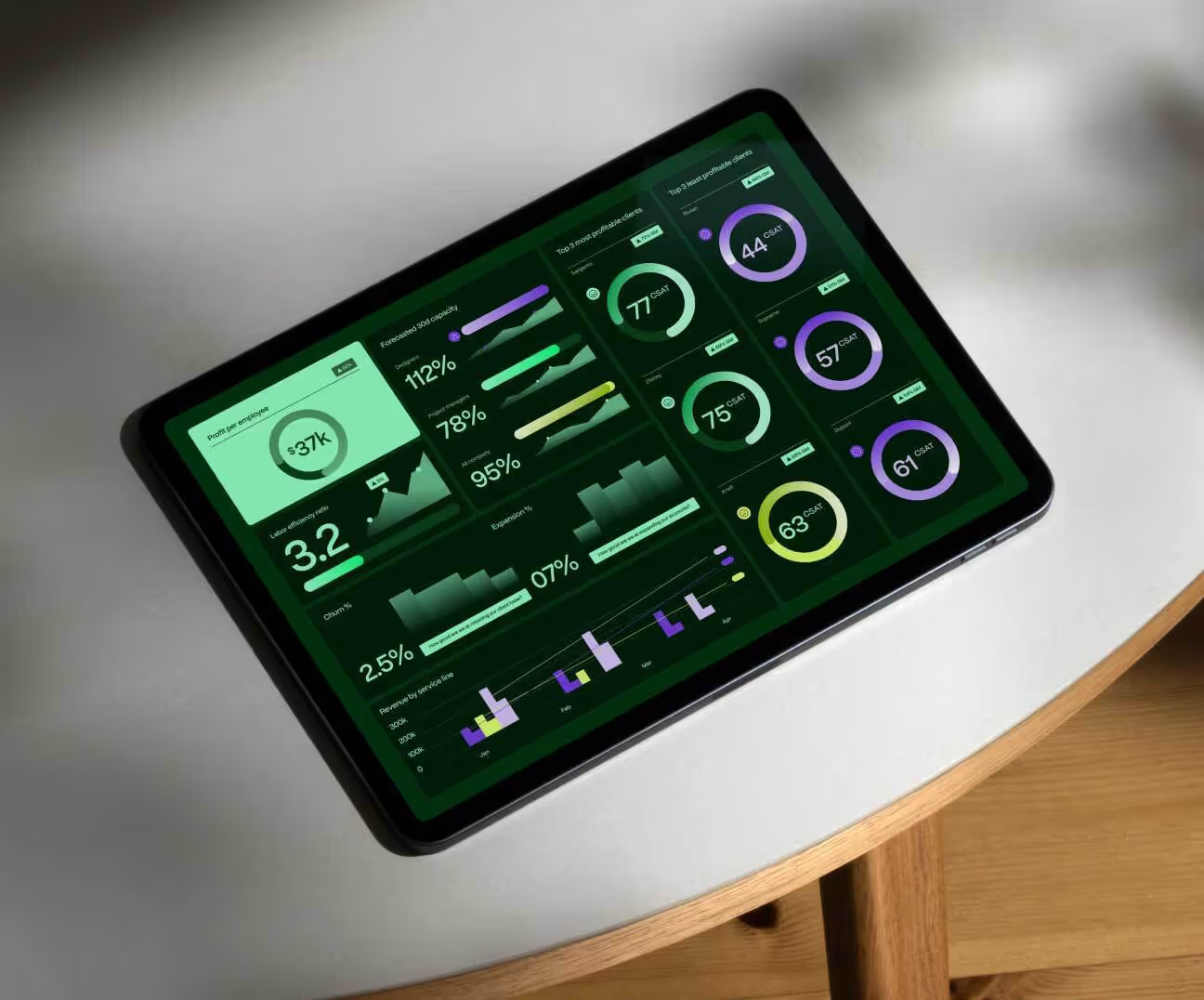



.avif)

.avif)
.avif)
.avif)